


Indonesia SIM Card & eSIM Guide for Expats: Telkomsel vs IM3 vs XL (2026 Rules)
 Like
Like
 Save
Save
【1-Day Tour Routes】Jakarta Open Water Diving Experience (PADI Dive Center)

【1-Day Tour Routes】Jakarta National Monument Half-Day Private Guided Tour
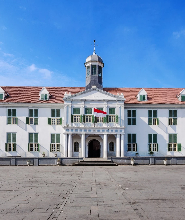
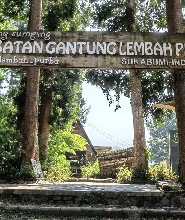
【1-Day Tour Routes】Jakarta West Tugu Gunung Suspension Bridge and Waterfall Day Tour
Moving to Indonesia means sorting out a few essentials fast: where to live, how to get around and, increasingly, how to get your phone online. Choosing a local SIM is more involved than just grabbing the cheapest data plan. Coverage, eSIM support, registration rules and whether you can keep the number long-term all matter — especially if you're bringing your own phone from overseas.
Indonesia's mobile market is dominated by Telkomsel, IM3 and XLSMART (the operator formed by the XL Axiata–Smartfren merger). For most expats, the decision comes down to where you'll live, how much you travel, and whether you prefer a physical SIM or an eSIM.
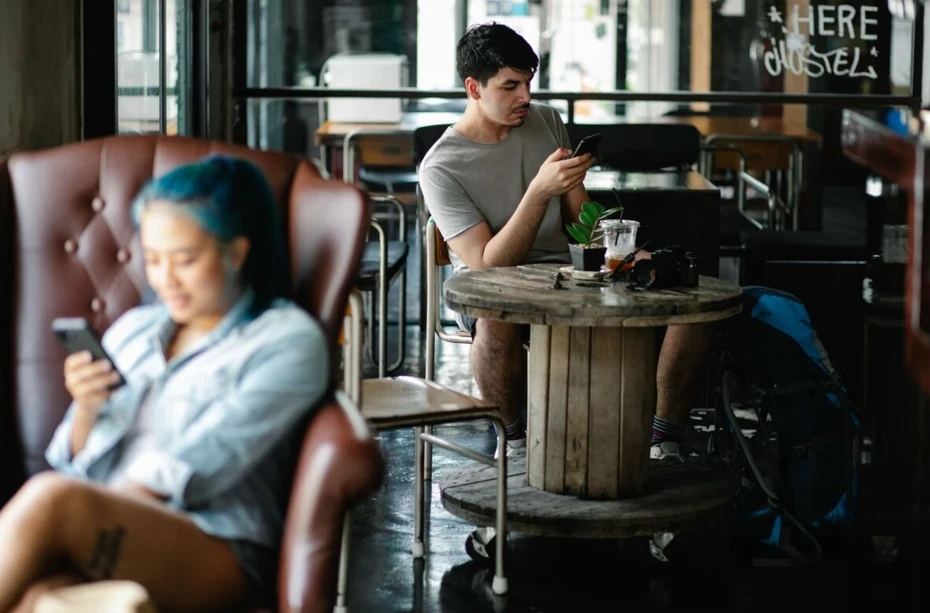
Which SIM card is best for expats?
IM3 — best practical urban alternative. Run by Indosat Ooredoo Hutchison, IM3 is worth a look if you'll spend most of your time in a major city. It supports eSIM, and its official information confirms foreign nationals can activate one through an IM3 outlet.
The process isn't as convenient as XL's foreigner-specific online eSIM, but it suits expats who prefer IM3's plans or have strong coverage in their own neighbourhood.
Telkomsel — best for nationwide coverage. Arguably the safest all-round pick, especially for expats who spend weekends exploring the archipelago or regularly head to remote destinations. Telkomsel offers 5G in selected areas and runs a Tourist Prepaid Card aimed at international visitors.
It's worth separating the Tourist Prepaid Card from Telkomsel's regular services for anyone settling in permanently. The tourist product is for visitors, while its standard prepaid eSIM for foreign nationals requires a KITAS, per Telkomsel's current information.
XL/XLSMART — best for eSIM and high data. XL is appealing if you want to land already connected. Its foreign-national tourist eSIM can be bought online using passport, email and IMEI details, and the QR code is delivered electronically — so there's no rush to find a telecom shop after landing.
Its tourist eSIM plans also offer generous data at modest prices, making XL attractive for digital nomads and expats who lean heavily on mobile data. XL's online store supports both physical SIM and eSIM purchases.
Can expats buy an eSIM in Indonesia?
Yes — and for many newcomers, eSIM is the easiest route. It removes the need to carry a physical SIM and lets compatible phones hold multiple numbers, handy if you want to keep your home number active alongside an Indonesian one.
The catch is that not all Indonesian eSIM products treat foreign nationals the same. XL has the clearest option right now, letting foreign customers buy its tourist eSIM online with passport and IMEI details. Telkomsel also offers eSIM, but its standard prepaid eSIM has extra requirements for foreigners (including KITAS). IM3 supports foreign-national eSIM activation too, though it involves visiting an outlet.
In short: if you arrive before your residence paperwork is sorted, XL is the most straightforward eSIM choice. If you're already a resident, Telkomsel and IM3 become more viable depending on coverage and plan preferences.
What documents do expats need to register a SIM?
This is where Indonesia's mobile rules changed significantly in 2026.
Indonesia introduced biometric registration for new SIM cards, replacing the old reliance on identity numbers alone. The new system uses facial recognition to verify who is registering a number, which the government says strengthens subscriber identification and prevents misuse of personal data.
Registration is tied to Indonesians' NIK and biometric data. Foreigners follow a separate process using their passport and applicable residence documents rather than an Indonesian NIK and family-card (KK) number. The key takeaway is simple: never register your Indonesian number under someone else's NIK or KK. Your number should be registered to your own identity and documents.
Indonesia's new biometric SIM registration
From 1 July 2026, biometric verification became mandatory for new mobile registrations nationwide. The system matches the person registering the number against government identity records using facial recognition, intended to make SIM registration more secure and cut fraudulent registrations using stolen or improper identity data.
The change applies to new physical SIMs and eSIMs alike, so switching to an eSIM doesn't let you skip registration. The distinction matters: an eSIM changes the SIM's format, not the identity requirements attached to the number.
Existing subscribers who registered before the new system aren't required to undergo biometric registration immediately. The government has so far made it mandatory only for new customers while it monitors the verification system's capacity and reliability. The old habit of buying a SIM from a small shop and registering it with a friend's Indonesian identity details is no longer an option.
What about the phone you bring from overseas?
There's another piece that's easy to confuse with SIM registration: IMEI registration. Your SIM registration identifies you as the subscriber; IMEI registration concerns the phone itself.
Bringing an iPhone, Samsung, Google Pixel or another handset bought outside Indonesia means considering whether its IMEI must be registered for long-term use with an Indonesian SIM. This matters for expats relocating permanently rather than visitors staying a few weeks.
Short-term visitors have different rules. Under applicable customs rules, visitors staying up to 90 days can use an Indonesian SIM with temporary operator-based IMEI access. Long-term residents should instead pursue the proper customs and IMEI-registration process for their foreign-sourced device.
And this is one case where buying an Indonesian eSIM doesn't get around the rules — the phone still has an IMEI, whether it holds a physical SIM or an eSIM.
The process involves submitting the IMEI information, receiving a registration or QR code, and having the device recorded by the Customs and Excise authority (Bea Cukai). You'll generally need your passport, phone details and the IMEI number found in your phone's settings or via a dial code. Eligible passengers currently benefit from a US$500 personal-device exemption, subject to the rules, if the process is completed while still in the customs area. Bea Cukai notes that registration can still be done after leaving the customs area, but different conditions apply and the US$500 exemption no longer applies.
Do you need IMEI registration if you buy an Indonesian SIM?
Potentially yes — because SIM registration and IMEI registration are completely different.
Think of it as registering two separate elements:
SIM registration: establishes who owns or uses the Indonesian number.
IMEI registration: establishes which foreign-sourced phone may access Indonesia's cellular network.
So buying a local SIM doesn't automatically mean your imported phone is cleared for long-term use. If you're bringing your existing phone and plan to use it with an Indonesian number, check the IMEI requirements before assuming you're ready to go.
The same applies to eSIMs. An eSIM isn't a loophole around Indonesia's mobile-registration rules; the phone still has an IMEI, and the subscription still needs to be registered to the right identity.
Tourist SIM or long-term expat number?
This is worth deciding before you arrive.
For a short stay, you have far more flexibility: keep your home SIM with international roaming, buy a tourist SIM, or use a foreign-national eSIM where available. Visitors staying up to 90 days also have provisions for temporary access to Indonesian networks on a local SIM.
For long-term stays, a regular Indonesian number makes more sense. You'll want a number you can keep active for banking, ride-hailing apps, delivery services, WhatsApp, work contacts and everyday services. This also applies to digital nomads who arrive on shorter stays but later decide to make Indonesia a longer-term base.
So what's the best setup for an expat?
There's no one-size-fits-all answer, but your lifestyle makes a difference.
If you travel extensively around Indonesia: Telkomsel is the strongest choice when coverage is the priority. Its nationwide network is especially useful if your weekends involve leaving Jakarta or Bali for smaller cities, islands and rural spots.
If you're a digital nomad wanting an eSIM: XL is arguably the most convenient starting point. Its foreigner-specific tourist eSIM is bought online with the QR code delivered by email, so you can arrange connectivity before landing.
If you live mainly in Jakarta, Bali or another big city: XL, IM3 and Telkomsel are all worth considering based on coverage around home and work. In urban areas, plan pricing and data allowances may matter more than nationwide reach.
If you want to keep your home number: a dual-SIM or eSIM-compatible phone helps. Keep your international number for calls or two-factor authentication while using an Indonesian SIM for daily data, local calls and services — just make sure your phone isn't carrier-locked and supports your intended SIM setup.
What to do when you first arrive
For a smooth setup, the order matters.
1. Check your phone's IMEI. If you're bringing a handset from overseas, find its IMEI before you travel — usually in your phone's settings or via a dial code.
2. Decide between a tourist or regular Indonesian number. A tourist SIM or eSIM may be enough for a temporary stay; if you're relocating, go for a regular long-term number.
3. Consider an eSIM before buying a physical SIM. If your phone supports eSIM and you arrive without Indonesian residence documents, XL's foreigner-specific eSIM is especially convenient since it can be done entirely online.
4. Complete the required SIM registration. New Indonesian SIM registrations fall under the biometric verification system — have your passport and applicable residence documents ready if you're a foreign national.
5. Sort out your IMEI if you're using an imported phone. Don't assume activating the SIM means the handset itself is cleared for long-term Indonesian network access.
6. Keep your number active. Once settled, your Indonesian number will likely be tied to everything from WhatsApp and banking to Grab, Gojek and delivery services. If you switch operators later, update important accounts first.
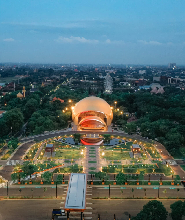
【Attraction Tickets】Taman Mini Indonesia Indah (TMII) Ticket

【Attraction Tickets】Jakarta Cat Cafe The Cat Cabin Ticket

【Attraction Tickets】Jakarta Faunaland Ancol Zoo Ticket
%3c/title%3e%3cg%20id='页面-1'%20stroke='none'%20stroke-width='1'%20fill='none'%20fill-rule='evenodd'%3e%3cg%20id='门票-PC版'%20transform='translate(-380.000000,%20-936.000000)'%3e%3cg%20id='biaoti--(1)'%20transform='translate(380.000000,%20936.000000)'%3e%3cpath%20d='M29.2924678,10.0515624%20L20.0320722,0.710853928%20C19.0922202,-0.236951309%2017.5719019,-0.236951309%2016.6316885,0.710853928%20L6.60688654,10.8228609%20C6.22124946,11.3929134%206.21858367,12.1449499%206.60001872,12.7172846%20L16.8634322,23.0726673%20C17.6753259,23.8880583%2018.985272,23.8880583%2019.7934607,23.0726673%20L29.2924678,13.4912761%20C30.2358441,12.5400475%2030.2358441,11.0031561%2029.2924678,10.0515624%20Z'%20id='Fill-1'%20fill='%2338ACFF'%3e%3c/path%3e%3cpath%20d='M7.32022794,13.4600612%20C6.44543588,12.5674601%206.44543588,11.1167505%207.32022794,10.2241494%20L11.8421053,5.60872924%20L10.0964389,3.82734556%20C9.22214789,2.93474446%207.80087842,2.93474446%206.92626857,3.82734556%20L0.655718222,10.2241494%20C-0.218572741,11.1167505%20-0.218572741,12.5674601%200.655718222,13.4600612%20L6.92289751,19.856865%20C7.79714291,20.7494661%209.21895905,20.7494661%2010.0932045,19.856865%20L11.838552,18.0754813%20L7.32022794,13.4600612%20Z'%20id='Fill-3'%20fill='%238AD2FF'%3e%3c/path%3e%3c/g%3e%3c/g%3e%3c/g%3e%3c/svg%3e) Related products
Related products


 More guides









'%20fill='%23FFFFFF'%20fill-rule='nonzero'%3e%3cg%20id='编组-21'%20transform='translate(-0.000000,%203463.000000)'%3e%3cg%20id='编组-20'%20transform='translate(1.000000,%200.000000)'%3e%3cg%20id='icon_笑脸-线'%20transform='translate(816.000000,%2030.000000)'%3e%3cpath%20d='M19.21303,6.10470121%20C18.2037939,3.71403528%2016.2952466,1.8054106%2013.8906615,0.782116903%20C11.4027873,-0.260705634%208.59416917,-0.260705634%206.10629501,0.782116903%20C4.91666008,1.28572876%203.83723503,2.01342091%202.92805438,2.92472122%20C1.04614471,4.80688405%20-0.00655231541,7.35002886%203.06899824e-05,9.99827546%20C-0.00794350862,14.002809%202.39392443,17.6273163%206.10767507,19.2148894%20C7.3381427,19.7347973%208.66245796,20.0018927%2010.0003183,19.9999899%20C12.6582825,20.0035648%2015.2058681,18.9480672%2017.0689021,17.0713743%20C17.9861712,16.1605967%2018.7148343,15.0808699%2019.21303,13.8936713%20C20.2623233,11.4012434%2020.2623233,8.59712911%2019.21303,6.10470121%20L19.21303,6.10470121%20Z%20M18.5864902,9.99690929%20C18.5841901,14.7315867%2014.7315681,18.5841759%2010.0003183,18.5841759%20C5.26630843,18.5841759%201.41506647,14.7315867%201.41506647,9.99690929%20C1.41506647,5.26086575%205.26630843,1.40918727%2010.0003183,1.40918727%20C14.7343282,1.40873188%2018.5864902,5.26086575%2018.5864902,9.99690929%20Z'%20id='形状'%3e%3c/path%3e%3cpath%20d='M6.05201331,8.95224739%20C6.83127798,8.95224739%207.46655809,8.31834619%207.46655809,7.53963133%20C7.46655809,6.76091647%206.83127798,6.12747066%206.05201331,6.12747066%20C5.27320865,6.12747066%204.64160864,6.7600057%204.64160864,7.53735438%20C4.63743561,7.91062437%204.78408398,8.270074%205.04894631,8.53577921%20C5.31380865,8.80148442%205.67492953,8.95141992%206.05201331,8.95224739%20L6.05201331,8.95224739%20Z%20M13.9500034,8.97957071%20C14.726508,8.97957071%2015.359488,8.3456695%2015.359488,7.56832083%20C15.359488,6.78687364%2014.726508,6.15297242%2013.9500034,6.15297242%20C13.1711987,6.15297242%2012.5359186,6.78687362%2012.5359186,7.56832083%20C12.5359186,8.3456695%2013.1711987,8.97957071%2013.9500034,8.97957071%20Z%20M15.1078601,12.139969%20C14.7924485,11.915954%2014.3543915,11.9800345%2014.1179087,12.2847826%20C13.1707387,13.5571389%2011.6301499,14.3135397%2010.0003183,14.3135397%20C8.37002671,14.3135397%206.82943792,13.5571389%205.88410798,12.2870596%20C5.64808665,11.9810113%205.20927089,11.9156996%204.89277659,12.1395136%20C4.57951444,12.3738969%204.51529087,12.8142693%204.74879203,13.1267965%20C5.34212496,13.922147%206.11410645,14.5700647%207.00378343,15.0193924%20C8.88588273,15.9647756%2011.1106138,15.9647756%2012.9927131,15.0193924%20C13.8835983,14.5695462%2014.6569145,13.92123%2015.2518446,13.1254304%20C15.4818519,12.8130337%2015.4179099,12.375405%2015.1078601,12.139969%20L15.1078601,12.139969%20Z'%20id='形状'%3e%3c/path%3e%3c/g%3e%3c/g%3e%3c/g%3e%3c/g%3e%3c/g%3e%3c/svg%3e)

'%3e%3cg%20id='编组-26'%20transform='translate(1682.000000,%201051.000000)'%3e%3ccircle%20id='椭圆形'%20fill='url(%23linearGradient-1)'%20cx='30'%20cy='30'%20r='30'%3e%3c/circle%3e%3cg%20id='客服'%20transform='translate(14.000000,%2012.000000)'%20fill='%23FFFFFF'%20fill-rule='nonzero'%3e%3cpath%20d='M23.139712,32.8694615%20C23.0243663,33.9087509%2022.2900098,34.7706057%2021.2891951,35.0412633%20L18.0476443,35.9180006%20C16.7097139,36.2683278%2015.3422219,35.4641013%2014.9844463,34.1165239%20C14.6266708,32.7689465%2015.4124959,31.3822989%2016.7447036,31.0104172%20L19.9862544,30.1336799%20C20.8331551,29.9041779%2021.737345,30.1363734%2022.3726019,30.7464927%20C24.8216791,29.7521616%2026.8802401,27.9748183%2028.2328984,25.6867646%20L27.4067797,25.6867646%20C24.9354154,25.6867646%2022.9322035,23.6648493%2022.9322035,21.1704104%20L22.9322035,16.6540562%20C22.9322035,14.1596173%2024.9354154,12.137702%2027.4067797,12.137702%20L28.5254238,12.137702%20C28.6867882,12.137702%2028.8464746,12.1461701%2029.0036441,12.1631065%20C27.293517,7.07656252%2022.3505086,3.38726566%2016.5,3.38726566%20C10.6494919,3.38726566%205.70648348,7.07656252%203.99635639,12.1631065%20C4.15352588,12.1461701%204.31321232,12.137702%204.47457672,12.137702%20L5.59322077,12.137702%20C8.06458514,12.137702%2010.067797,14.1596173%2010.067797,16.6540562%20L10.067797,21.1704104%20C10.067797,23.6648493%208.06458514,25.6867646%205.59322077,25.6867646%20L4.47457672,25.6867646%20C2.00321236,25.6867646%200,23.6648493%200,21.1704104%20L0,16.6540562%20C0,16.5360664%200.00447510069,16.4192058%200.0131445921,16.3034742%20C0.00433474352,16.232501%200,16.1610399%200,16.0895119%20C0,7.18862456%207.40150888,0%2016.5,0%20C25.5984916,0%2033,7.18862456%2033,16.0895119%20C33,16.1620558%2032.9955254,16.2334707%2032.9868559,16.3034742%20C32.9955254,16.4192058%2033,16.5360664%2033,16.6540562%20L33,21.1704104%20C33,22.6797195%2032.2667288,24.0157136%2031.1399746,24.8359964%20C29.6761543,28.5069437%2026.7841947,31.4109054%2023.139712,32.8694615%20L23.139712,32.8694615%20Z'%20id='路径'%3e%3c/path%3e%3c/g%3e%3c/g%3e%3c/g%3e%3c/g%3e%3c/svg%3e)
'%3e%3cg%20id='编组-28'%20transform='translate(1682.000000,%201121.000000)'%3e%3ccircle%20id='椭圆形备份-2'%20fill='url(%23linearGradient-1)'%20cx='30'%20cy='30'%20r='30'%3e%3c/circle%3e%3cg%20id='电话'%20transform='translate(13.000000,%2013.000000)'%20fill='%23FFFFFF'%20fill-rule='nonzero'%3e%3cpath%20d='M33.6821921,30.2461546%20L32.0856631,31.837563%20C31.4335904,32.4881786%2030.6232405,33.0074431%2029.671634,33.384009%20C28.6256363,33.8004465%2027.4505065,34%2026.1947808,34%20C21.3730567,34.0022143%2013.753793,29.5065467%208.70469844,24.4718343%20C2.33929522,18.1242322%20-1.47463066,9.39000338%200.541004575,4.33791995%20C0.835564238,3.59815655%201.24448921,2.94070137%201.73113444,2.36314497%20L1.72981321,2.36054124%20L1.83325883,2.1935543%20C1.87930807,2.11808567%201.93305159,2.04984529%201.99367338,1.98933826%20L3.66897177,0.32016841%20C4.09355739,-0.106722803%204.78347984,-0.106722803%205.20794884,0.32016841%20L5.96226253,1.07186222%20L12.5334689,7.62589538%20C12.9579768,8.04769573%2012.9579768,8.73480209%2012.5321477,9.15901188%20L10.7752431,10.9133656%20L9.58048888,12.1050469%20C9.58048888,12.1050469%208.95526852,16.1008029%2013.4058785,20.5383729%20C17.856333,24.9739609%2021.8452848,24.3695125%2021.8452848,24.3695125%20L24.8151302,21.4071946%20C25.2396381,20.9829848%2025.9304932,20.9829848%2026.3537575,21.4071946%20L33.6808708,28.7105899%20C34.1061559,29.1351883%2034.1061559,29.8218672%2033.6821921,30.2461546%20L33.6821921,30.2461546%20Z'%20id='路径'%3e%3c/path%3e%3c/g%3e%3c/g%3e%3c/g%3e%3c/g%3e%3c/svg%3e)
'%3e%3cg%20id='编组-27'%20transform='translate(1682.000000,%201191.000000)'%3e%3ccircle%20id='椭圆形备份-3'%20fill='url(%23linearGradient-1)'%20cx='30'%20cy='30'%20r='30'%3e%3c/circle%3e%3cg%20id='手机'%20transform='translate(15.000000,%2012.000000)'%20fill='%23FFFFFF'%20fill-rule='nonzero'%3e%3cpath%20d='M25,0%20C27.7613637,0%2030,2.21624998%2030,4.95000002%20L30,31.05%20C30,33.78375%2027.7613637,36%2025,36%20L5,36%20C2.23863635,36%200,33.78375%200,31.05%20L0,4.95000002%20C0,2.21625003%202.23863635,0%205,0%20L25,0%20Z%20M18.6363636,29.25%20L11.3636364,29.25%20C10.6105208,29.25%2010,29.8544156%2010,30.6%20C10,31.3455844%2010.6105208,31.95%2011.3636364,31.95%20L18.6363636,31.95%20C19.3894792,31.95%2020,31.3455844%2020,30.6%20C20,29.8544156%2019.3894792,29.25%2018.6363636,29.25%20Z%20M25,2.7%20L4.99999999,2.7%20C4.39723523,2.7%203.81915815,2.93705289%203.39293911,3.35900975%20C2.96672007,3.78096661%202.72727273,4.35326292%202.72727273,4.95000002%20L2.72727273,25.2%20L27.2727273,25.2%20L27.2727273,4.95000002%20C27.2727273,4.35326292%2027.0332799,3.78096661%2026.6070609,3.35900975%20C26.1808418,2.93705289%2025.6027648,2.7%2025,2.7%20L25,2.7%20Z'%20id='形状'%3e%3c/path%3e%3c/g%3e%3c/g%3e%3c/g%3e%3c/g%3e%3c/svg%3e)